.png)
TFT Display Functionality Guide for KaaboUpdated 3 months ago
The TFT display does not directly control the throttle. Both the display and the throttle communicate with the scooter through the controllers, using the main left and right connectors.
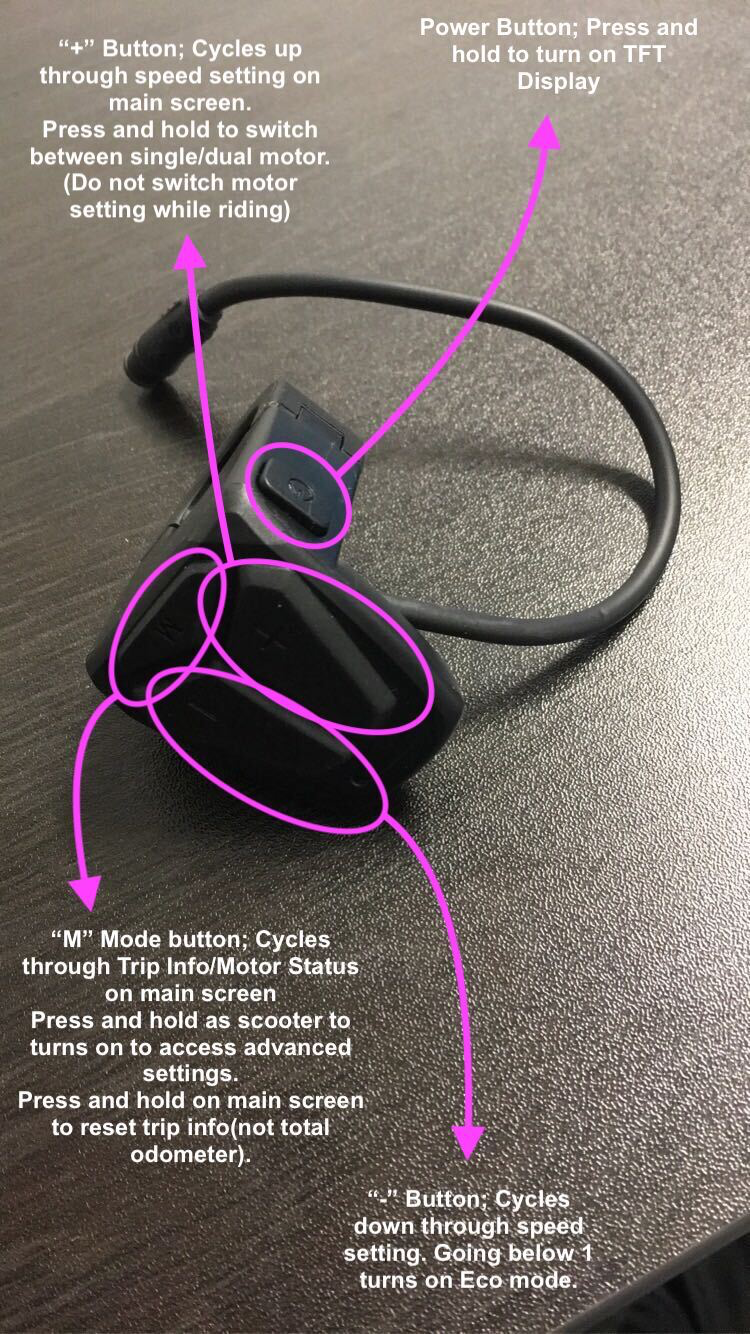
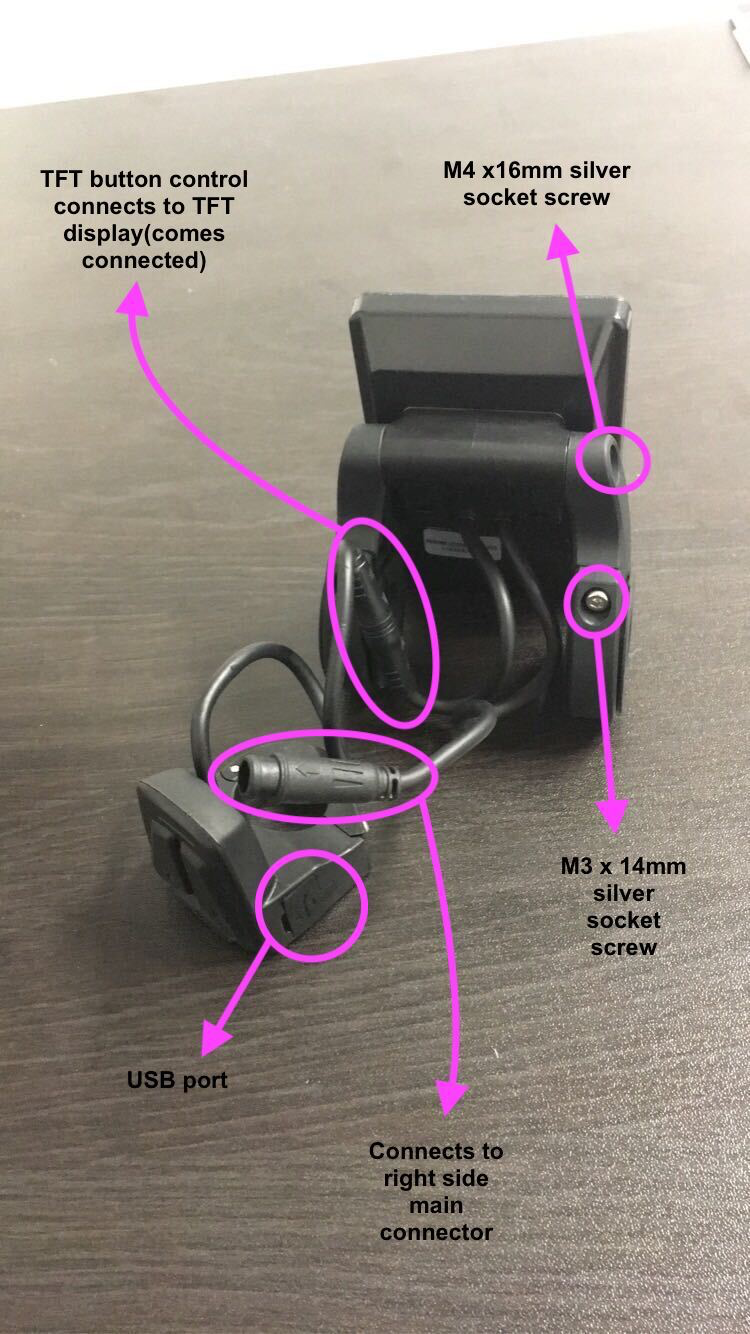
Main Screen
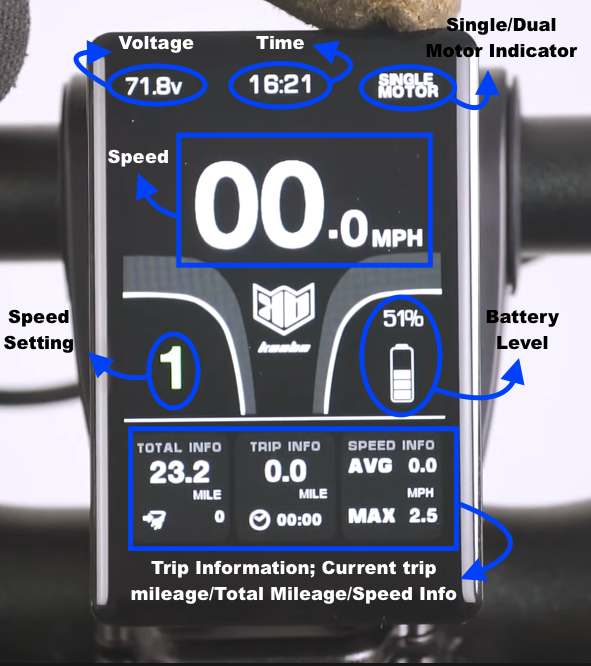
Here is how the main screen looks:
Arrow + Plug Icon – Indicates the number of charge cycles. Note: this reading is inconsistent and often does not work accurately.
Front/Rear Motor Status – Press the M mode button to display motor status at the bottom of the screen.
Kick Start / Cruise Control Status – These display in the top-right corner when enabled in settings.
Accessing Settings
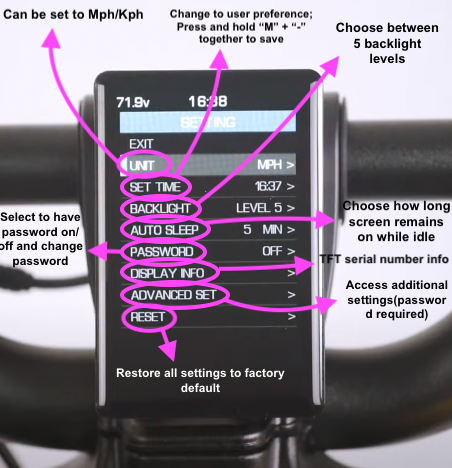
To access general and advanced settings, press and hold the "M" button within 10–15 seconds of turning on the scooter.
General Settings
Unit: Metric or Imperial
Set Time: Adjust the system clock
Backlight: 1 (lowest) → 5 (brightest)
Auto Sleep: Set duration before the scooter shuts off, or disable
Password: Enable/disable for startup greeting or advanced settings. Can set independently. Default password:
0000Display Info: Shows display firmware and info
Advanced Set: Access advanced settings (default password
1500)Reset: Return display to factory settings
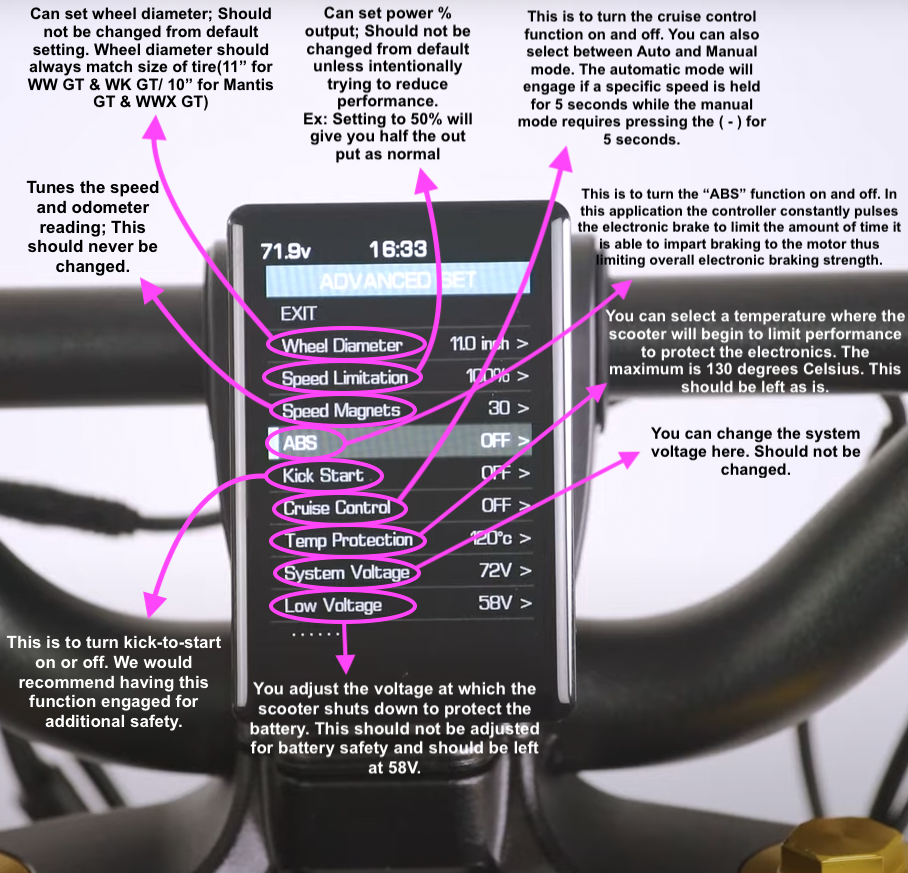
Advanced Settings
Example shown is for Wolf King GT. Other models: Wolf Warrior GT/X GT, Mantis King GT have slight differences (wheel diameter = 10", voltage = 60V, low voltage = 48V).
Wheel Diameter: Default 11" (do not change)
Speed Limitation: Set top speed as a percentage
Speed Magnets: Number of magnets in motor (default 30; do not change)
ABS: Electronic brake pulse limiter
Kick Start: Enable/disable kick-to-start (recommended on for safety)
Cruiser Control: Auto or Manual mode
Auto: Engages after holding a speed for 5 seconds
Manual: Hold (-) for 5 seconds
Temp Protection: Limits performance at high temperature (max 130°C)
System Voltage: Do not change
Low Voltage: Scooter shutdown voltage for battery safety (default 58V; do not change)
Assistant Mode: Displays amps for gears 1–5
Assistant Mode Currents
60V Scooter (Current per Assist Level):
| Level | Amps |
|---|---|
| 1 | 6A |
| 2 | 12A |
| 3 | 18A |
| 4 | 24A |
| 5 | 30A |
72V Scooter (Current per Assist Level):
| Level | Amps |
|---|---|
| 1 | 20A |
| 2 | 30A |
| 3 | 40A |
| 4 | 45A |
| 5 | 50A |
Notes
Display readings (speed, odometer, amps) are approximate.
For accurate speed/distance, use a GPS device.
Always adjust settings carefully, especially advanced options like voltage and low-voltage cutoffs.