.png)
Inmotion RS Speed Limit Update: How to Unlock Full SpeedUpdated 3 months ago
Some units were accidentally set to the Europe region, which limits the default speed to 15 mph. To unlock the full speed, Inmotion must remotely remove the speed limit while the customer is online and connected to the Inmotion app.
Instructions for Unlocking Speed
For iPhone users:
Download the Regional Tool App
Install the app from the following link:
https://apps.apple.com/be/app/escooter-region-tools/id1637436686Connect to Your Scooter via Bluetooth
Once the app is installed, open it. It will automatically scan for nearby scooters.
Make sure your scooter is powered on and Bluetooth is enabled on your phone.Select the Region
After connecting, the app will prompt you to select a region.
Be sure to choose "Worldwide" from the list.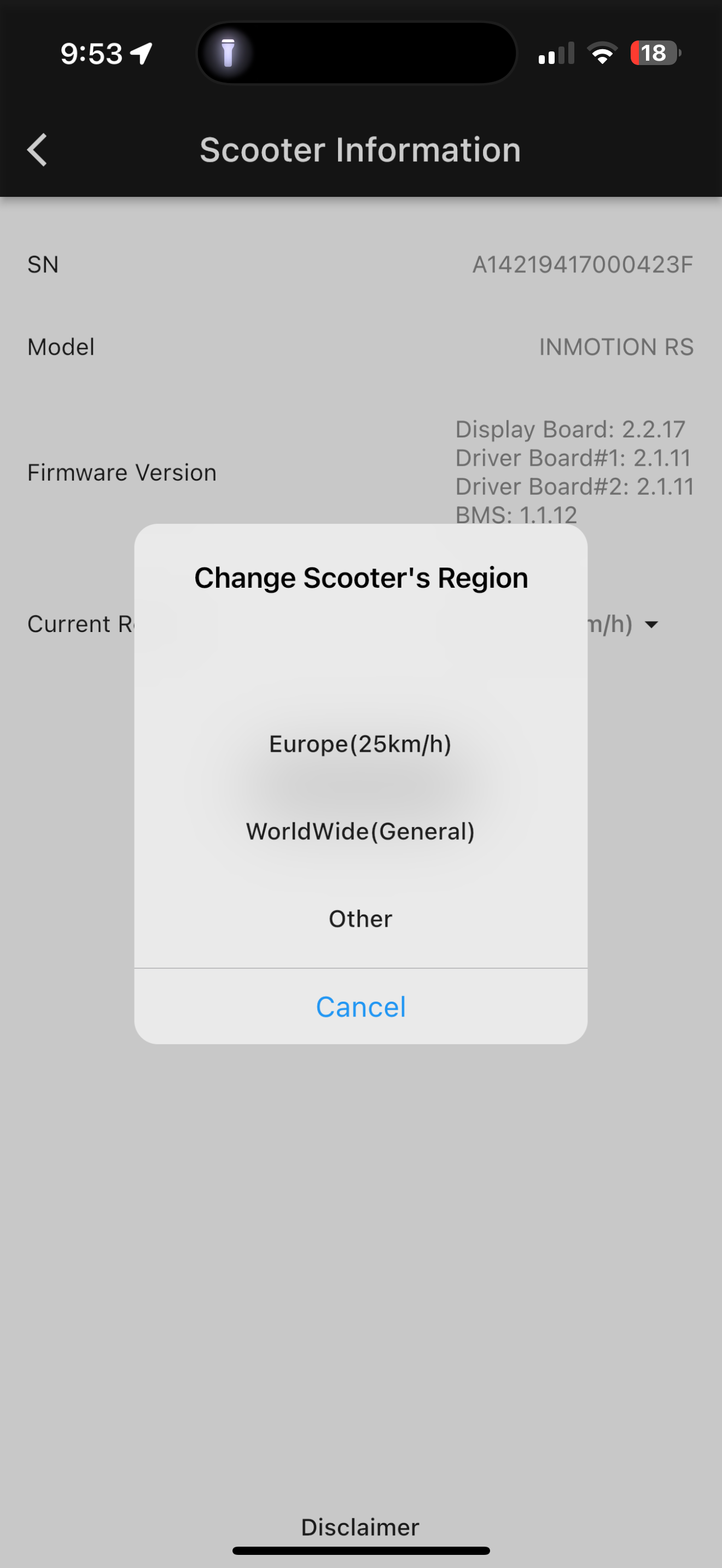
Adjust the Speed Limit
Go to the app’s Settings section.
Find the Speed Limit option and adjust it to your desired limit.
For Android users (APK method)
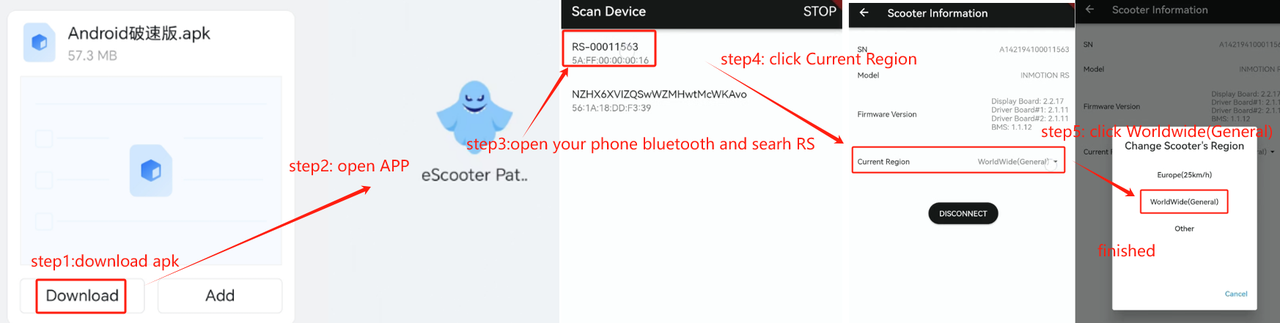
InMotion has released an APK for Android users, allowing them to customize their scooter settings directly from their device.
- Download the APK from the provided link.
- Send the APK file to the customer.
- Have the customer follow the steps shown in the screenshot below to complete the installation.