.png)
How to Install the Voro Phone Holder on Your Scooter 📱🛴Updated 3 months ago
The Voro Phone Holder is designed to keep your device secure and easily accessible while riding. This step-by-step guide covers everything included in the box and how to properly install and adjust the holder on your scooter.
🛍️ What’s in the Box
Phone holder
Handlebar mount
2 plastic mount adaptors
2 Allen wrenches (small + large)
1 small screw (M5×12mm)
2 plastic strips
1 sticker patch
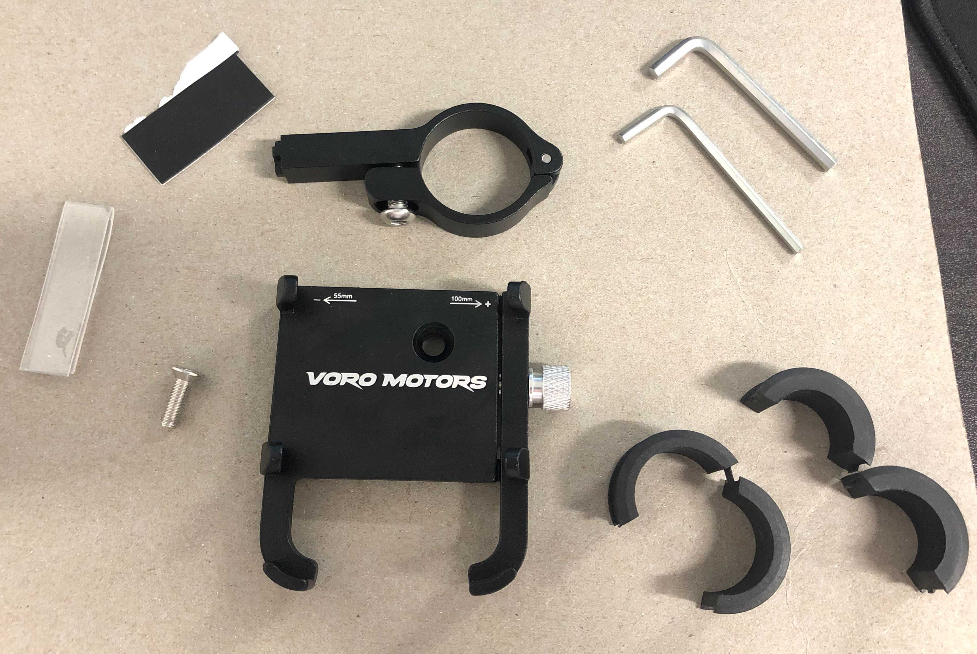
🔧 Step 1: Mount the Handlebar Bracket
Place the mount around the handlebar so that:
The screw head faces downward.
The cross-shaped end faces toward the rider.
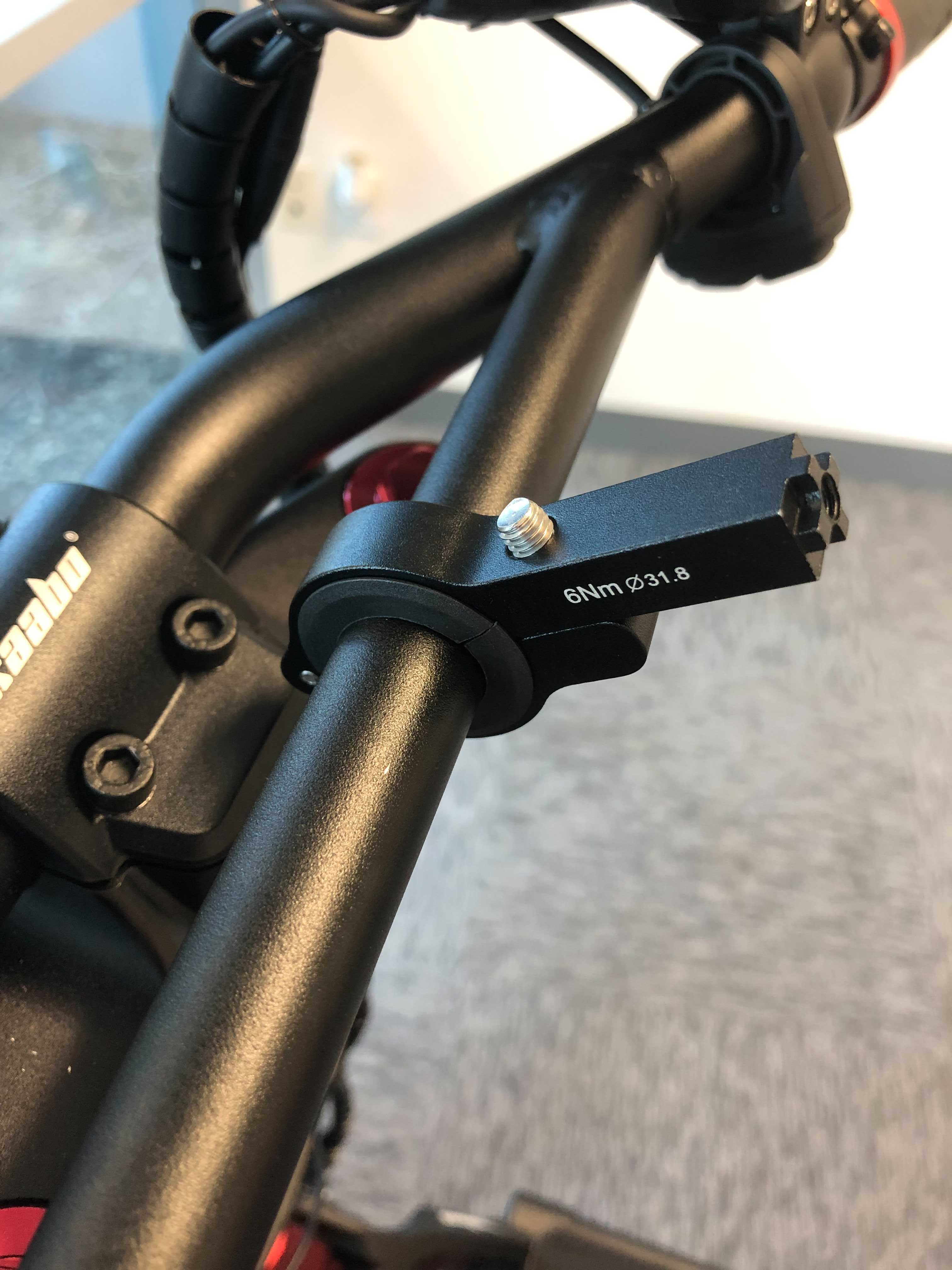
Insert the plastic mount adaptors if needed for a snug fit.
Example: Wolf models typically require the thicker adaptor.
Note: Adaptors can sometimes crack during installation—this won’t affect usability, just makes the process slightly trickier.
🔗 Step 2: Attach the Phone Holder
Insert the M5×12mm screw through the hole near the top of the phone holder.
Position the mount behind the holder in the proper orientation.
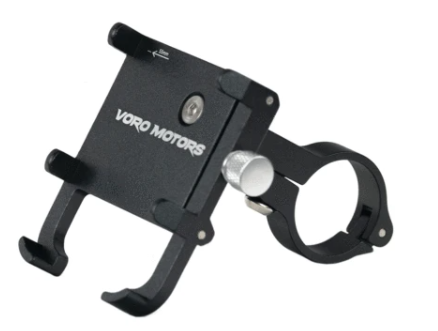
Use the smaller Allen wrench to tighten the screw securely.
📱 Step 3: Secure Your Phone
Loosen the large screw on the right side of the holder until the prongs open wider than your phone.
Place your phone between the prongs.
Tighten the screw until your phone feels firmly locked in place.
⚙️ Step 4: Adjust Viewing Angle
Use the larger Allen wrench to slightly loosen the mount screw.
Tilt the holder to your preferred viewing angle.
Retighten the screw to lock the position.

✅ Final Check
Ensure the mount is tight and doesn’t shift on the handlebar.
Confirm your phone is stable in the holder, with no wobble.
Test the angle before riding for maximum visibility and comfort.
With everything in place, you’re ready to ride confidently with your phone secure and accessible!