.png)
EMOVE Roadrunner Pro – TFT Display & Settings GuideUpdated 3 months ago
Keywords: Roadrunner PRO p settings
Primary & Secondary Screens
Primary Screen:
Displays essential ride information such as speed, battery, and mode.
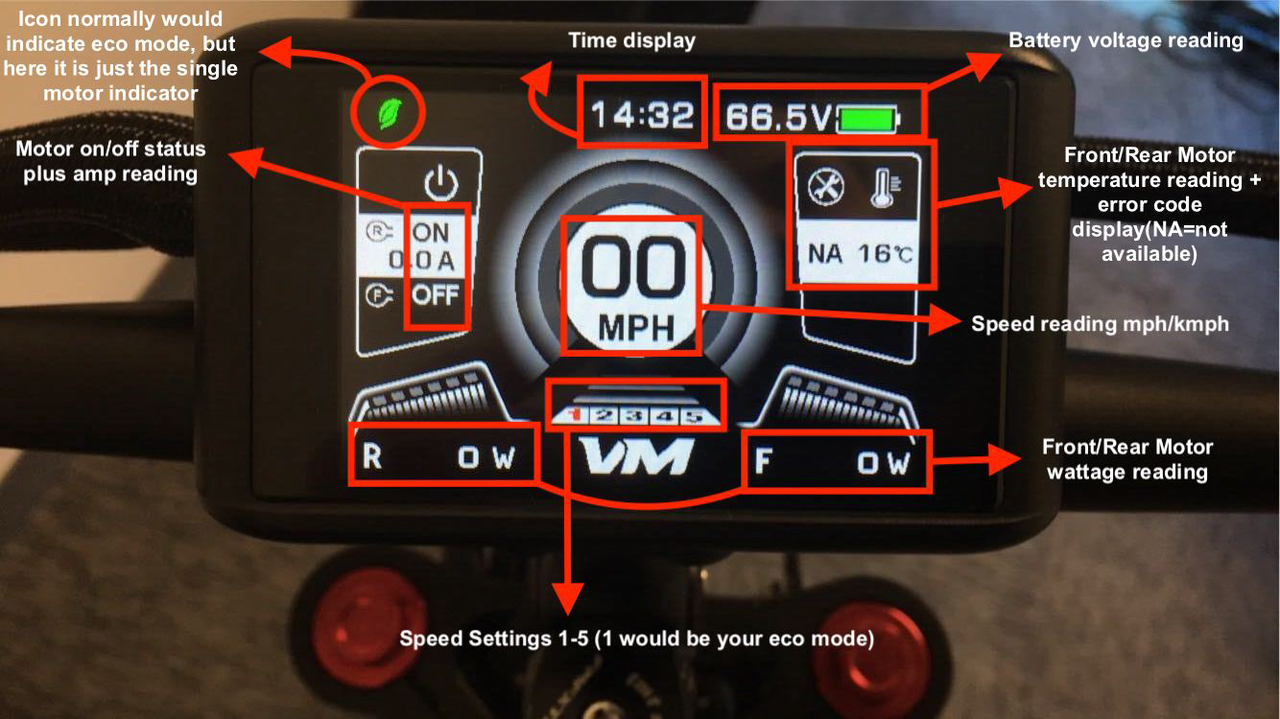 fig.1: Roadrunner pro displaymain screen
Secondary Screen:
Accessed by pressing the Mode (M) button.
Provides additional ride details and options.
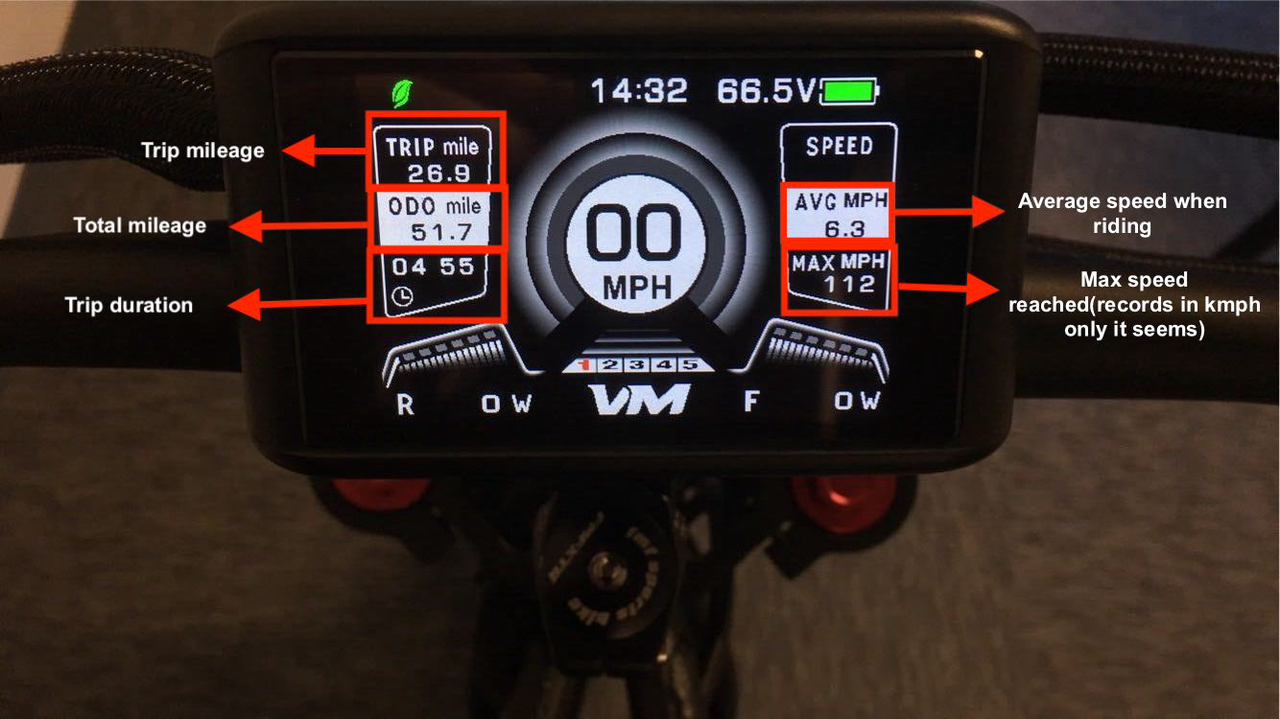
trip mileage, total mileage, trip duration
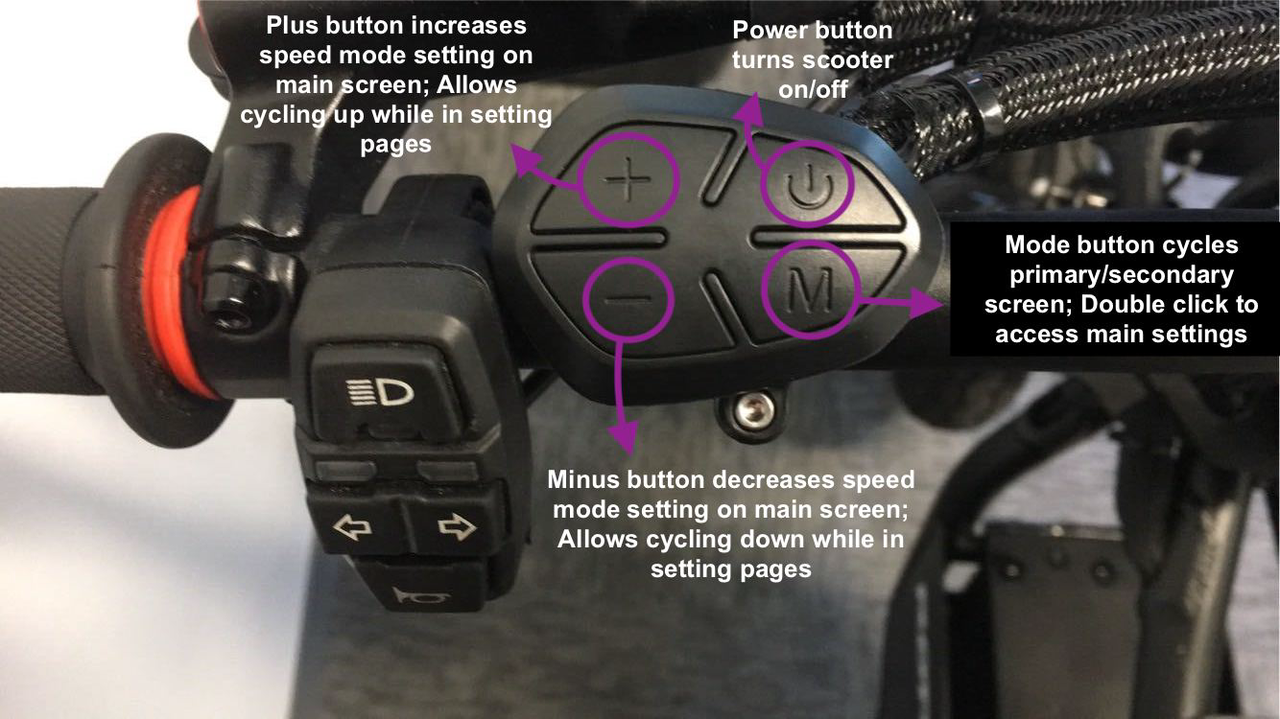
TFT Buttons
The TFT has buttons for navigation, mode selection, and adjusting settings.
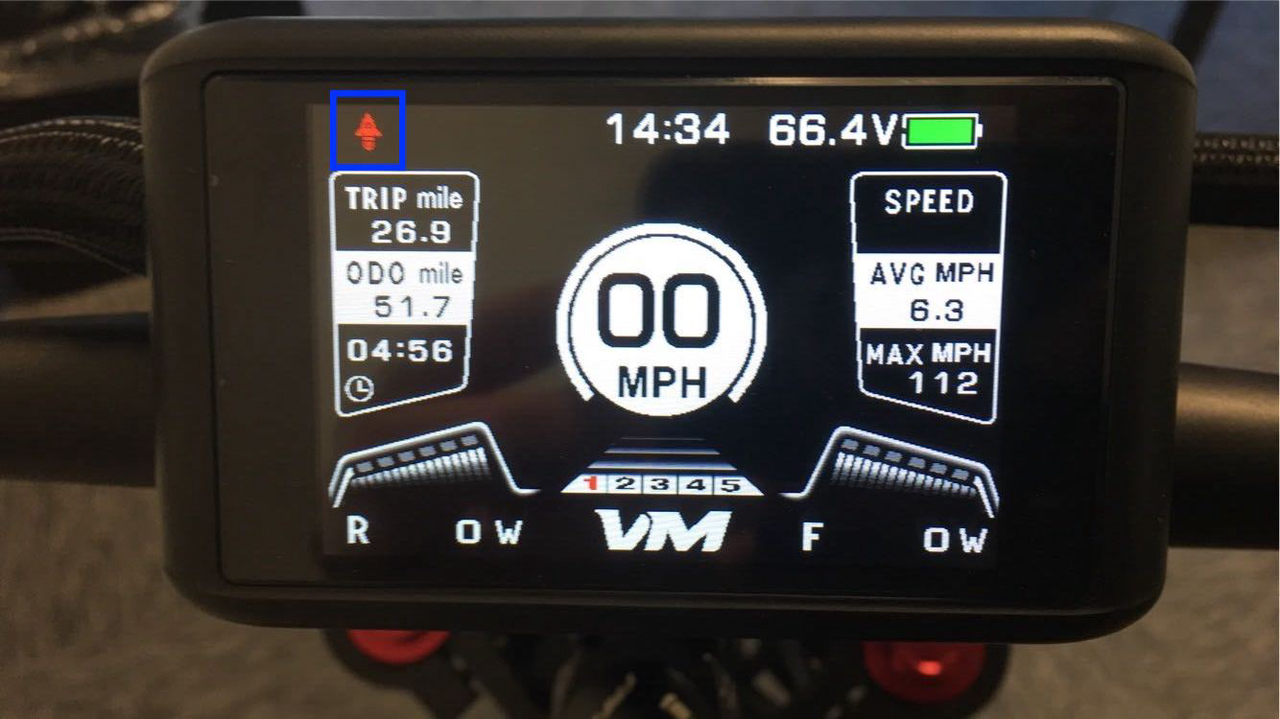
Dual Motor Icon:
Indicates dual motor mode is active.
The display should save the dual motor setting even after powering off.
RR Pro Main Settings (Formerly “P-Settings”)
Access these by double-clicking the Mode (M) button.
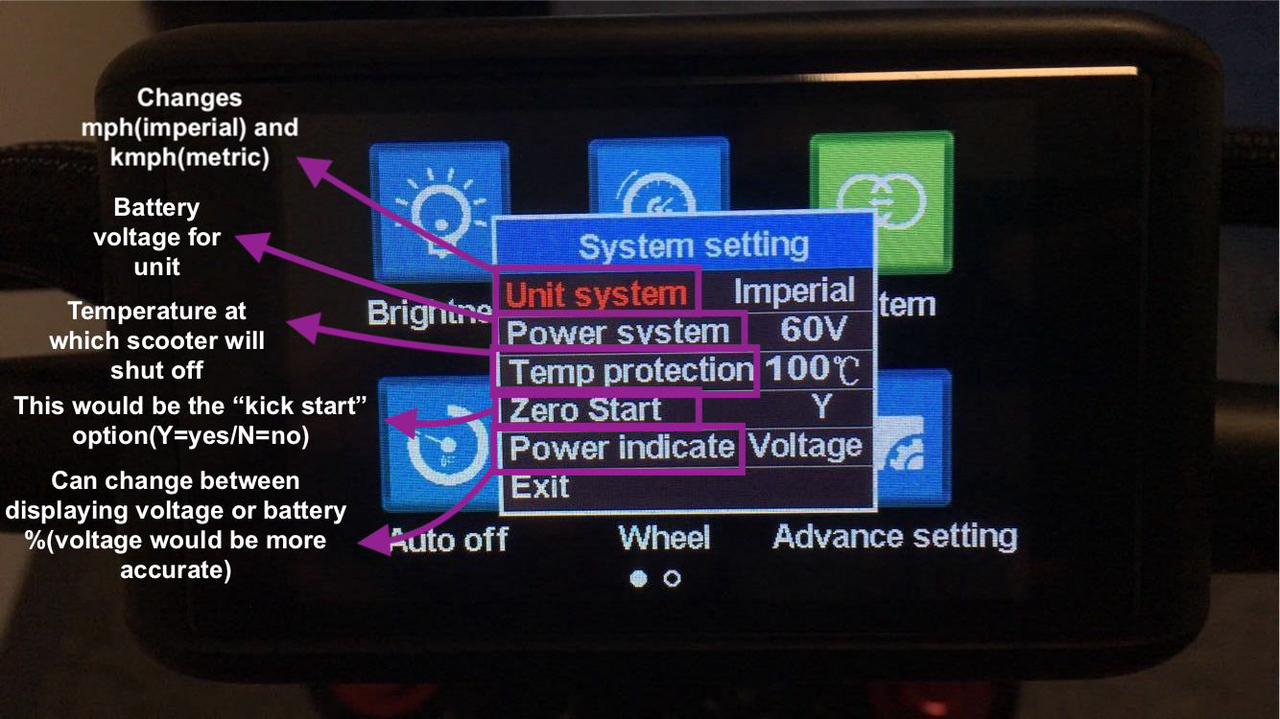
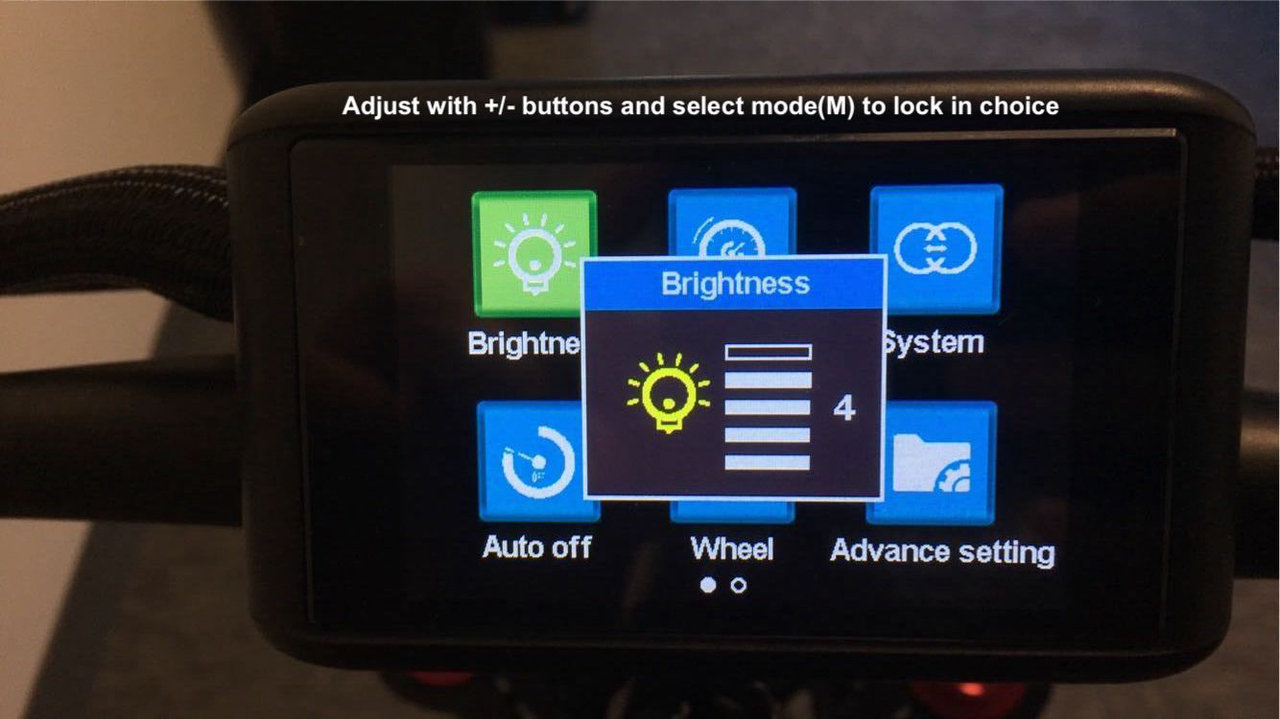
Key Notes:
Brightness: Level 5 shows as 5, but actual brightness may default to 4 when powering on. Manually adjust to reach level 5 if desired.
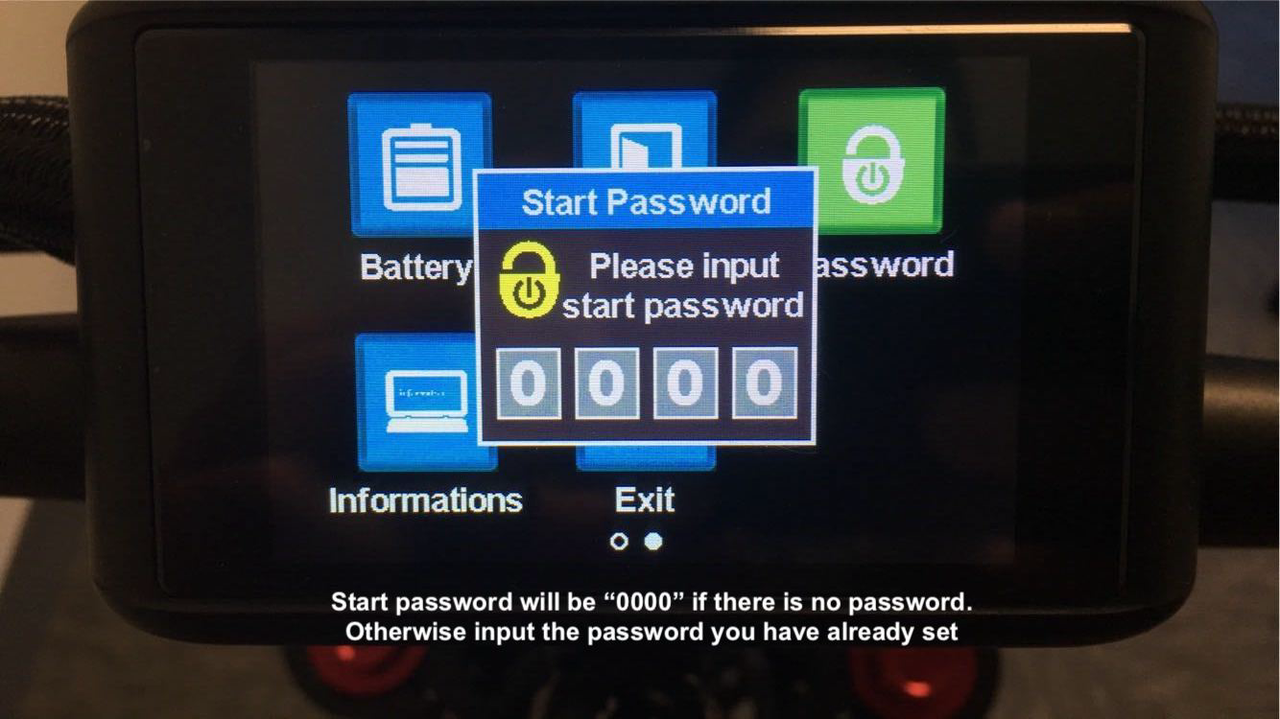
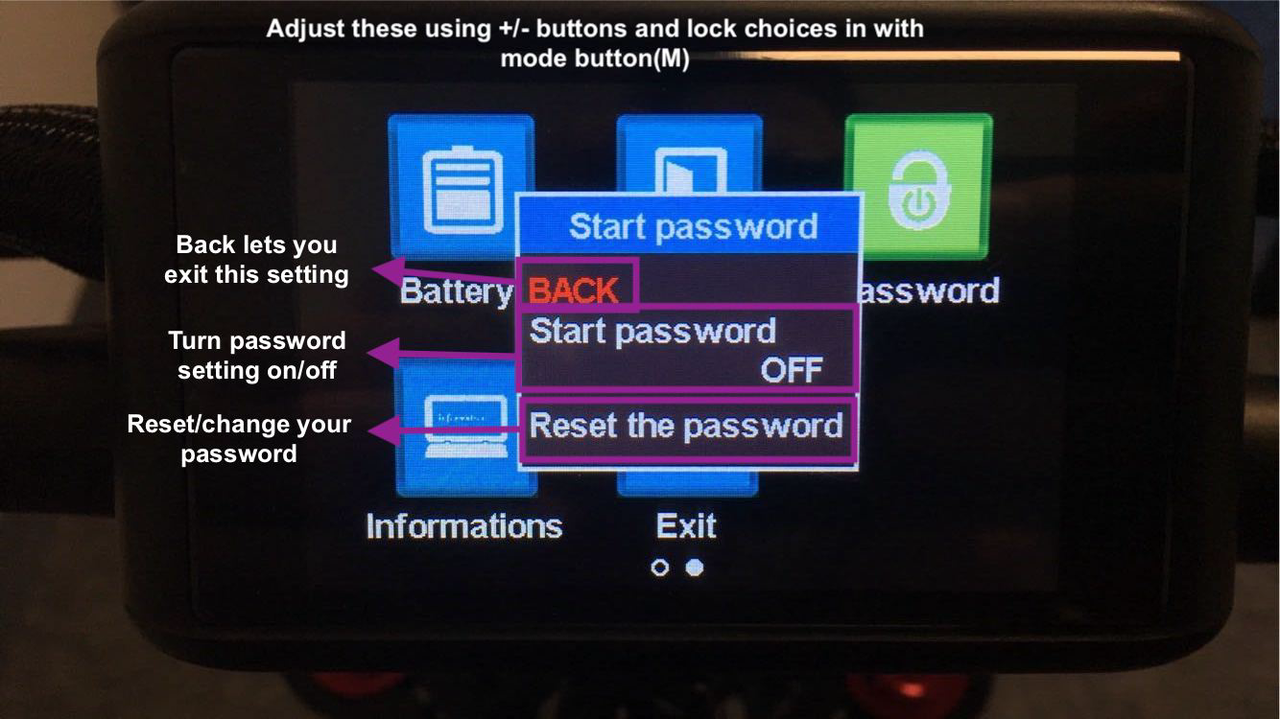
Advanced Settings Password: Default is 2112. (Subject to confirmation if it can be changed.)
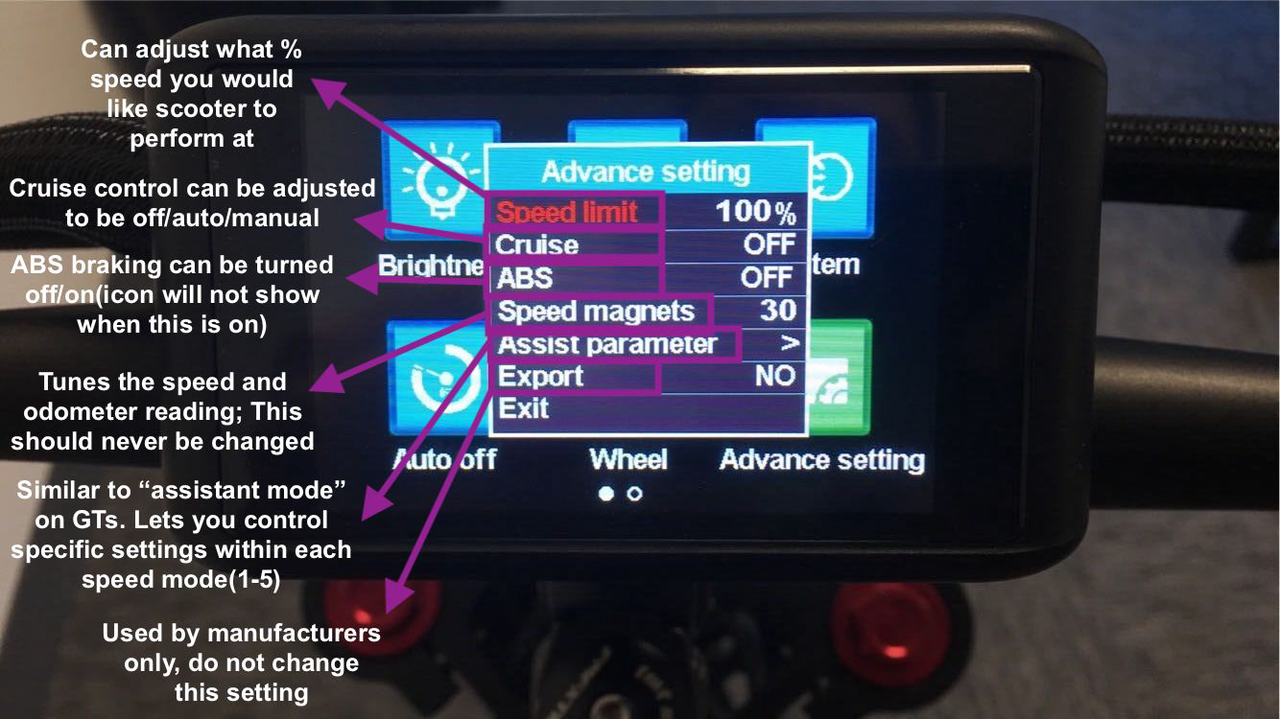
speed limit,cruise control, ABS, speed magnets,assist parameter, expor, exit
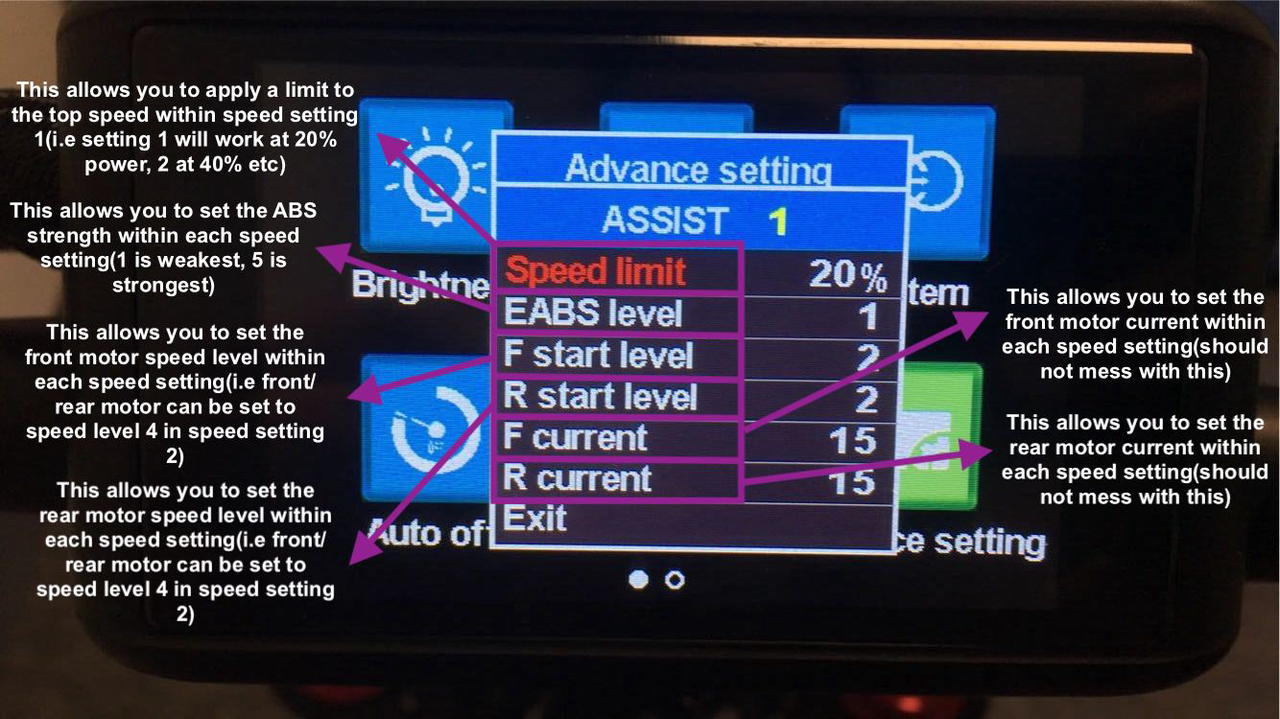
Speed limit, EABS level, F start level, R start level, F current, R current
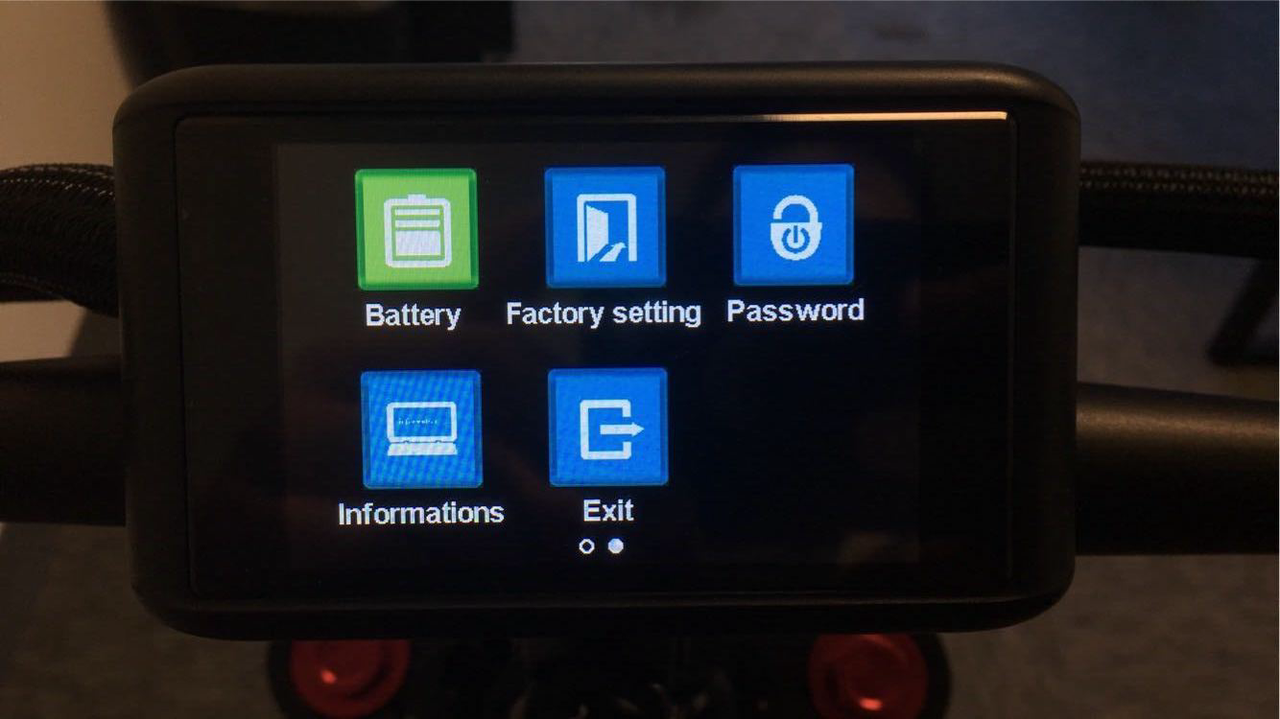
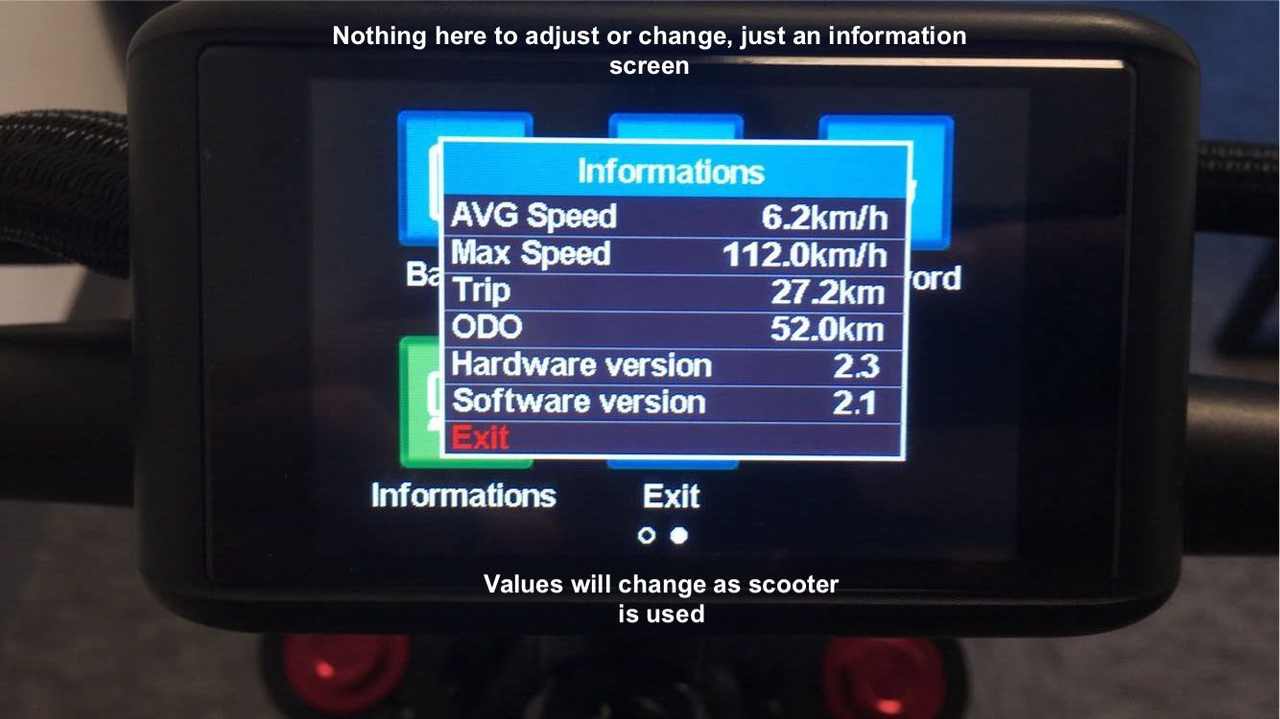
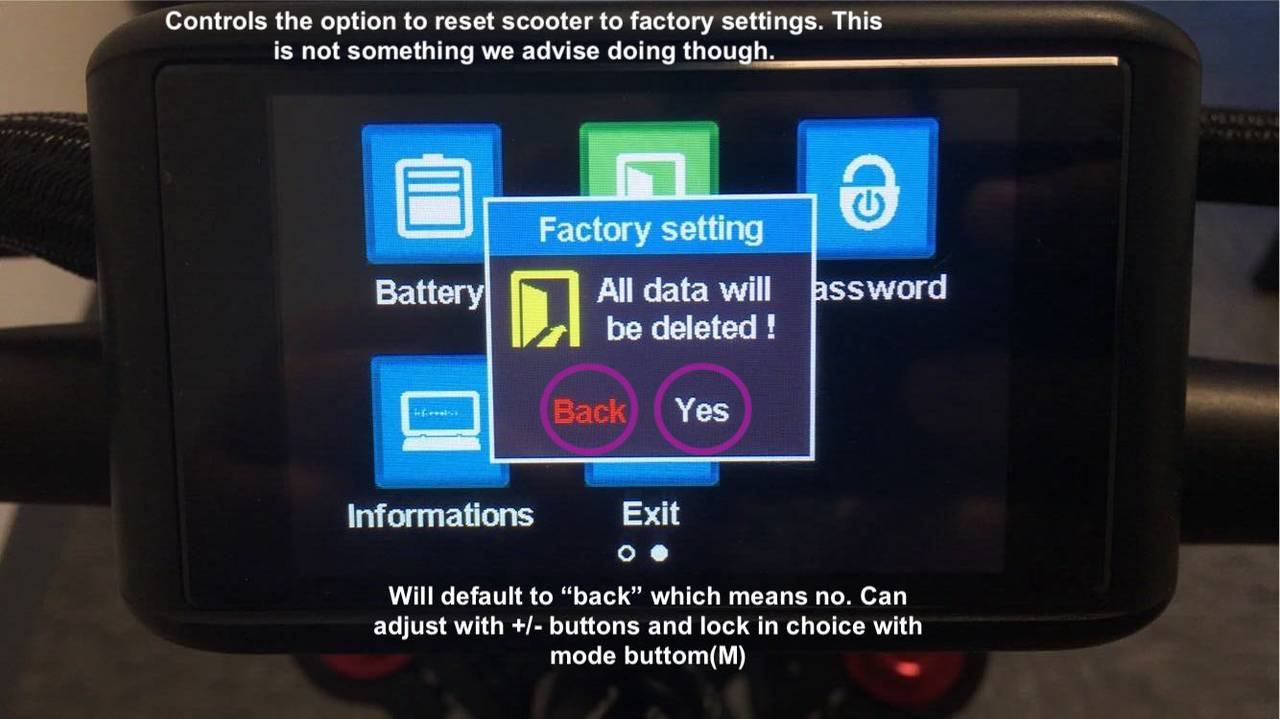
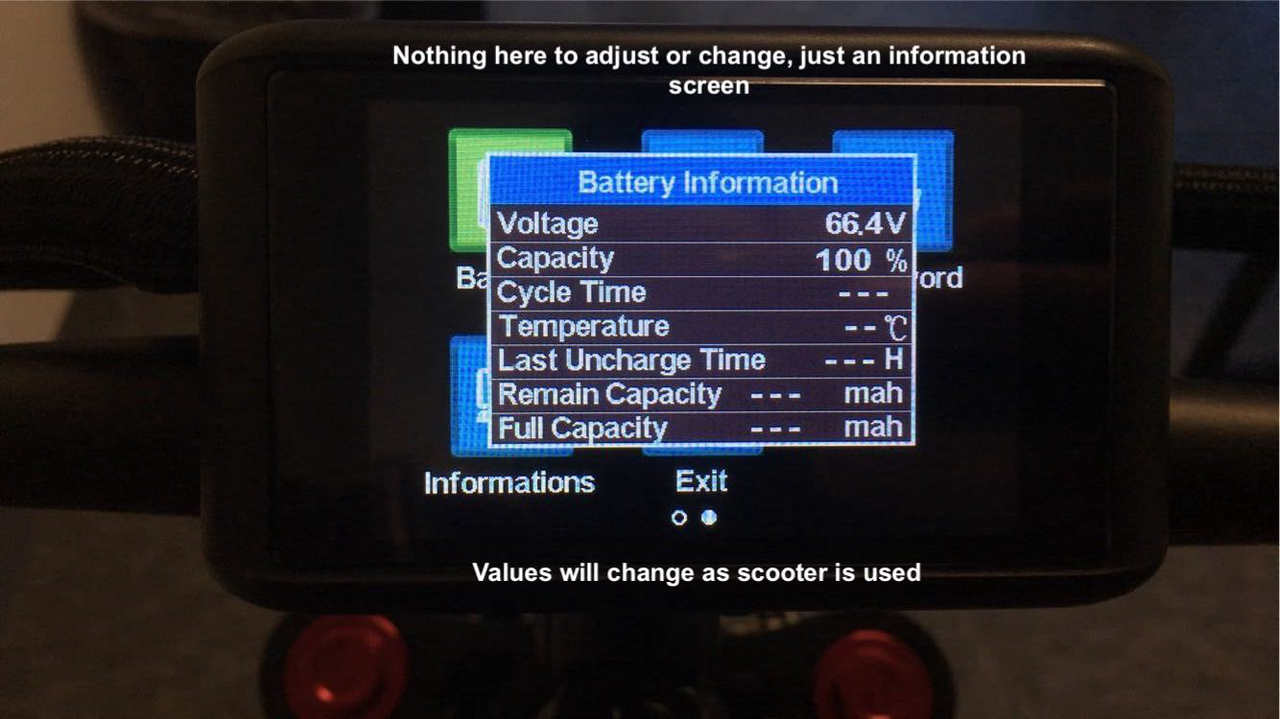
This is the second page of settings:
Additional Tips
Speedometer & Odometer Accuracy: Readings may be slightly off from real-world values. For precise measurement, a GPS device is recommended.
Error CODES:
-4.png)
Error 1, 2, 4, 5, 6, 7 and 8.